Firmware Link:
Flashing Tool & Driver Link: https://pan.baidu.com/s/1ugVAJ35VeWkUoKOjiLgvXQ?pwd=3iyb
Password: 3iyb
I. Preparation
- RUPAClaw-RC1 host
- USB 2.0 A to C cable
- Tweezers
- 12V power adapter
- Windows computer
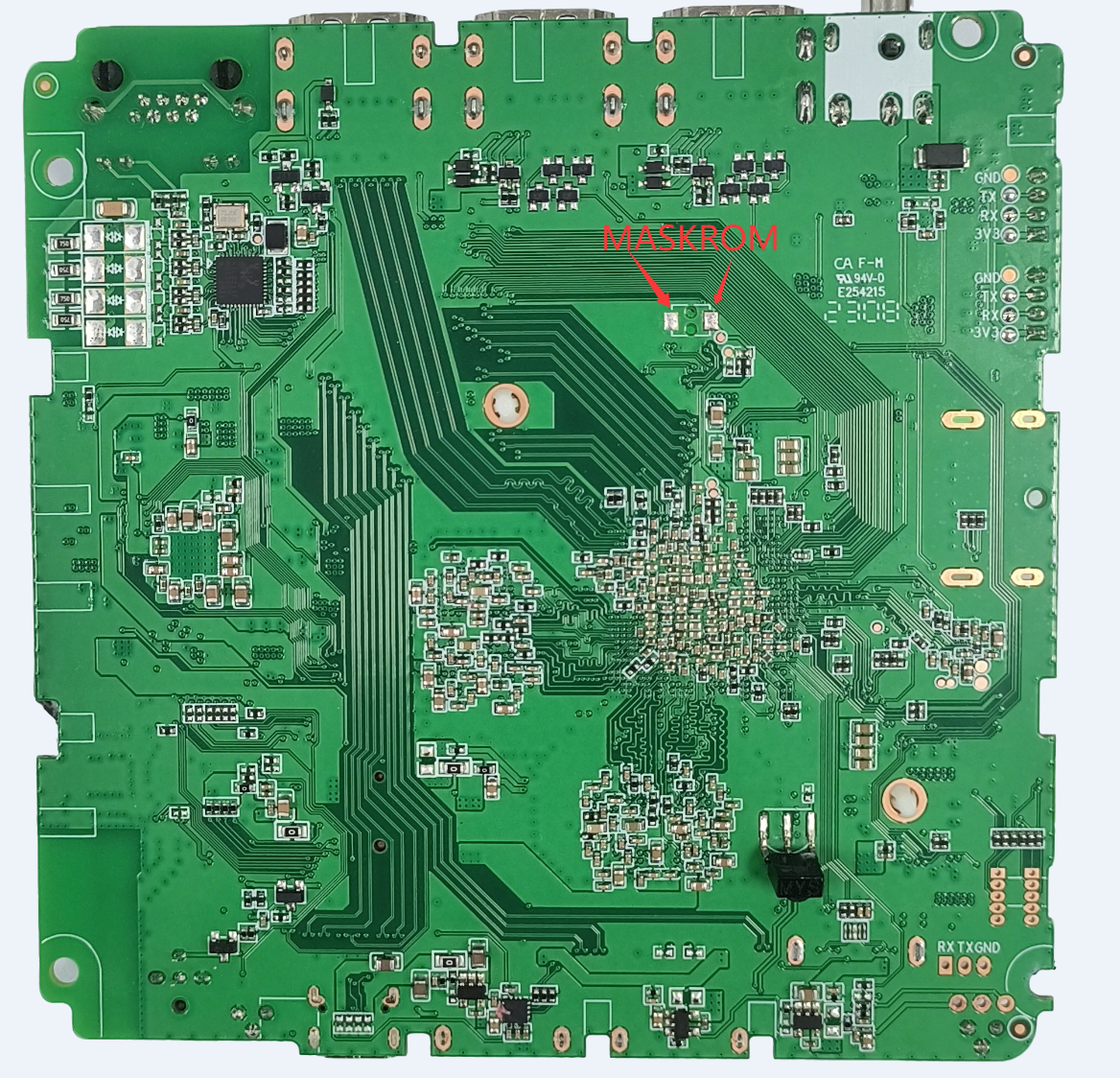
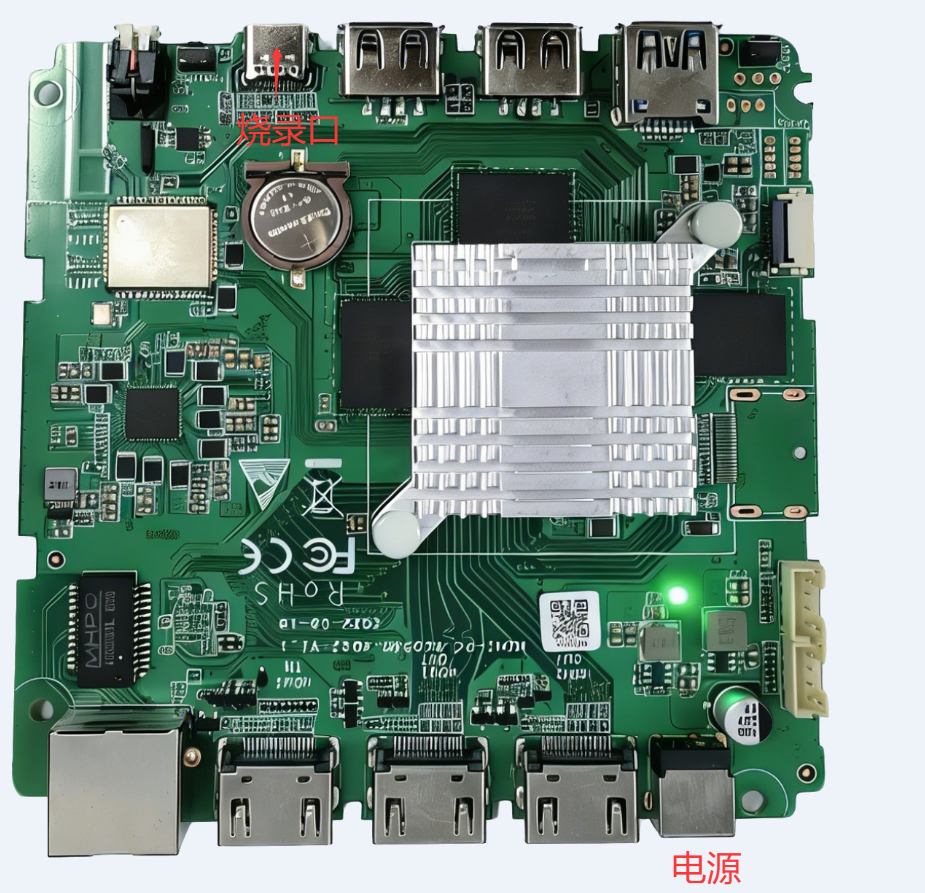
Connect the computer to the Type‑C port of the RUPAClaw‑RC1 host using a USB cable. Short the two solder points of the MASKROM button with tweezers, then power on with the 12V adapter to put the device into MASKROM mode.
- If the eMMC is blank, the MASKROM button is not required.
- For devices that have been flashed with Armbian, you must short the MASKROM button to reflash the firmware.
II. Flashing Procedure
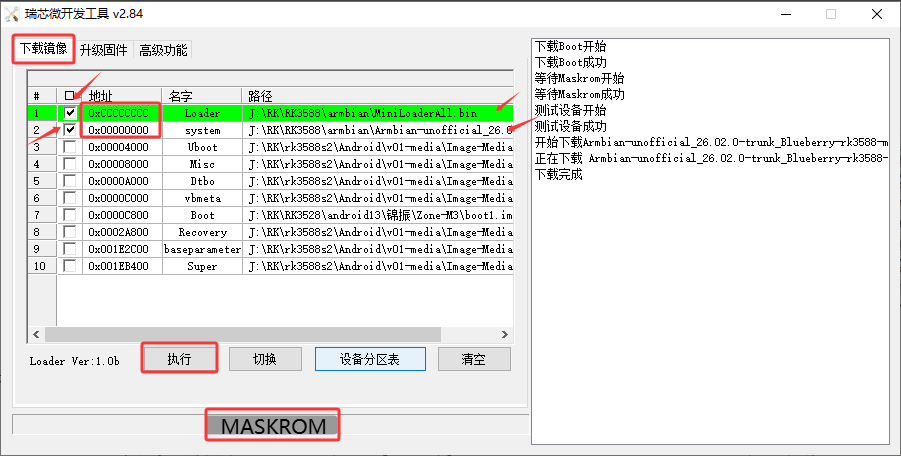
- Launch Rockchip Development Tool. Version V2.84 or higher is required.
- Load the Loader and system files, then check the corresponding boxes.
Loader address:0xcccccccc
System address:0x00000000 - Put the device into MASKROM mode. If it is in Loader mode, switch to MASKROM mode via Advanced settings.
- Click Execute to start downloading. The process takes approximately 5 minutes.